Picture this. You send a homepage mockup to a client, and an hour later you realize the link pointed to your whole project folder, including early sketches, rejected concepts, and a message thread where your team talks about the budget. Nobody meant any harm, but trust takes a hit anyway. A good agency design review starts with deciding what the client gets to see, and that decision is easier than most teams expect.
Table of Contents
- Quick Takeaways
- Why Client Reviews Leak Internal Files
- Build a Client-Facing Review Space
- Share Mockups Without Client Accounts
- Keep Revisions Easy to Follow
- Turn Feedback into Clear Decisions
- Bring Figma Frames into Review
- Common Mistakes Agencies Make
- Compare Review Setups
- Frequently Asked Questions
- References
Quick Takeaways
| Key Insight | Explanation |
|---|---|
| Share exports, not source files | Send flattened screenshots or mockup frames so clients see the design without access to layers, hidden artboards, or notes. |
| Use one link per review round | A fresh link for each round keeps feedback attached to the right version and makes it obvious when a round is closed. |
| Guests should never need an account | Every sign-up step costs you reviewers. Guest review links let outside stakeholders join with one click. |
| Guest comments stay off your plan count | In Pinhub, guest comments don't count toward the plan, so bringing in extra reviewers doesn't change your seat math. |
| Pin comments to exact spots | Pixel-level anchoring means "the spacing under the hero" points to one place on the design, at any zoom level. |
| Describe problems before proposing fixes | Clients who explain what they see give your team room to find a better solution than the one they first imagined. |
| Keep team debate in your own space | Internal discussion stays out of the client review, so clients only see the decisions you want them to make. |
Why Client Reviews Leak Internal Files
You've probably felt this moment, and you're not alone. Most leaks happen because the review setup was built for your studio, not for the person sitting outside it. The fix starts with understanding where your files actually escape.
What Actually Gets Exposed
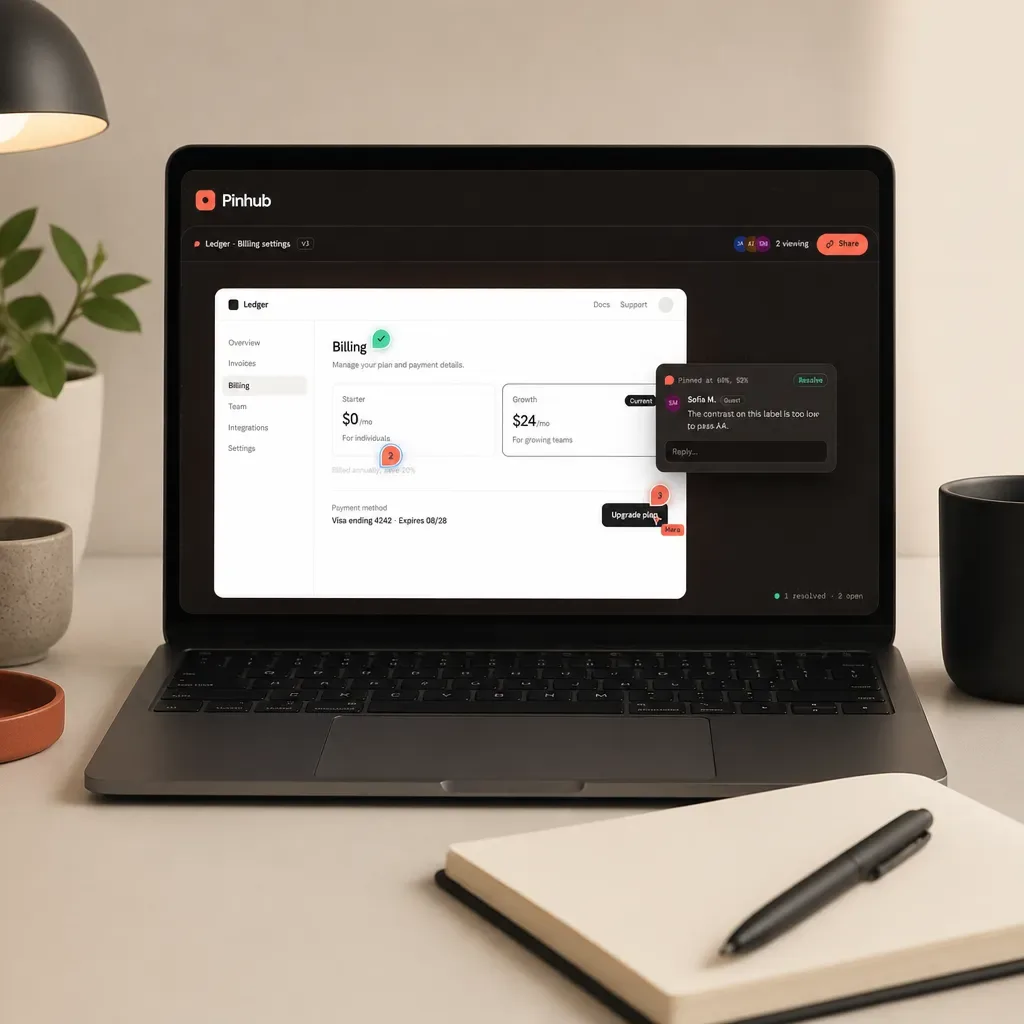
Exposure rarely looks dramatic. It's usually a few small things at once: source files with layers you didn't clean up, comments from your own designers, or version history that shows every experiment you ran before the good idea landed. Each one is minor on its own, but together they can make a client feel like they're reading your scratch paper.
In practice, the safest first step is to decide what a client is allowed to see before you upload anything. Write that rule down in plain words, such as approved frames only or the current round and nothing earlier. It sounds obvious, but most teams never make the rule explicit.
The Attachment Trail Problem
Email threads are the other big culprit. A PDF gets forwarded, someone replies all, and weeks later an old attachment resurfaces with comments your team meant only for each other. Email doesn't know which files are internal and which are client-facing, so it treats them all the same.
Good news: once you move feedback into a dedicated review space with its own links, you get a clean boundary. Clients see the screenshots you chose, and your internal chatter stays where it belongs. Separate spaces are the simplest way to keep that line clear.
Build a Client-Facing Review Space
Before you invite anyone, build the review as if the client were the only audience. That mindset changes what you upload, how you name it, and what you leave out. You don't need a complicated process, just a repeatable one you can run on every project.
Export Only the Frames the Client Needs
Start with the output, not the source. Export flattened screenshots or mockup frames at the size the client will judge, and keep the working file in your design tool. A flat image shows the design without exposing layers, unused components, or the way your team organizes its work.
A common mistake is uploading a whole page of artboards because it feels faster. Clients then scroll past six variations and comment on the wrong one. Pick the two or three frames that match the question you're asking, and say which ones matter in your message.
Name Files So Nobody Misreads Them
File names do more work than most people expect. Homepage_final_v7 invites a debate about what final means. Homepage_round2_option-B tells the client exactly which version to react to. A short naming pattern with a round number and an option letter keeps old versions from sneaking into a new round.
If you capture a live staging page, the Pinhub browser extension can turn that page into a screenshot you upload to a review. The review then runs on the image, which is exactly what you want for visual feedback.
Pro tip: If you use collections on a Pro or Team plan, put the round number in the collection name as well as the file names. When a client opens the review a week later, they'll know at a glance which round they're looking at.
Share Mockups Without Client Accounts
Nothing slows a review down faster than a login wall. You send a link, the client clicks, and then they're asked to create an account, verify an email, and remember a password they'll never use again. Many of them simply close the tab.
Why Account Sign-Ups Stall Feedback
Every extra step costs you some reviewers. Busy clients, outside stakeholders, and people who only look at work once a month are the ones most likely to give up. You need their eyes on the design, not their time spent on a registration form.
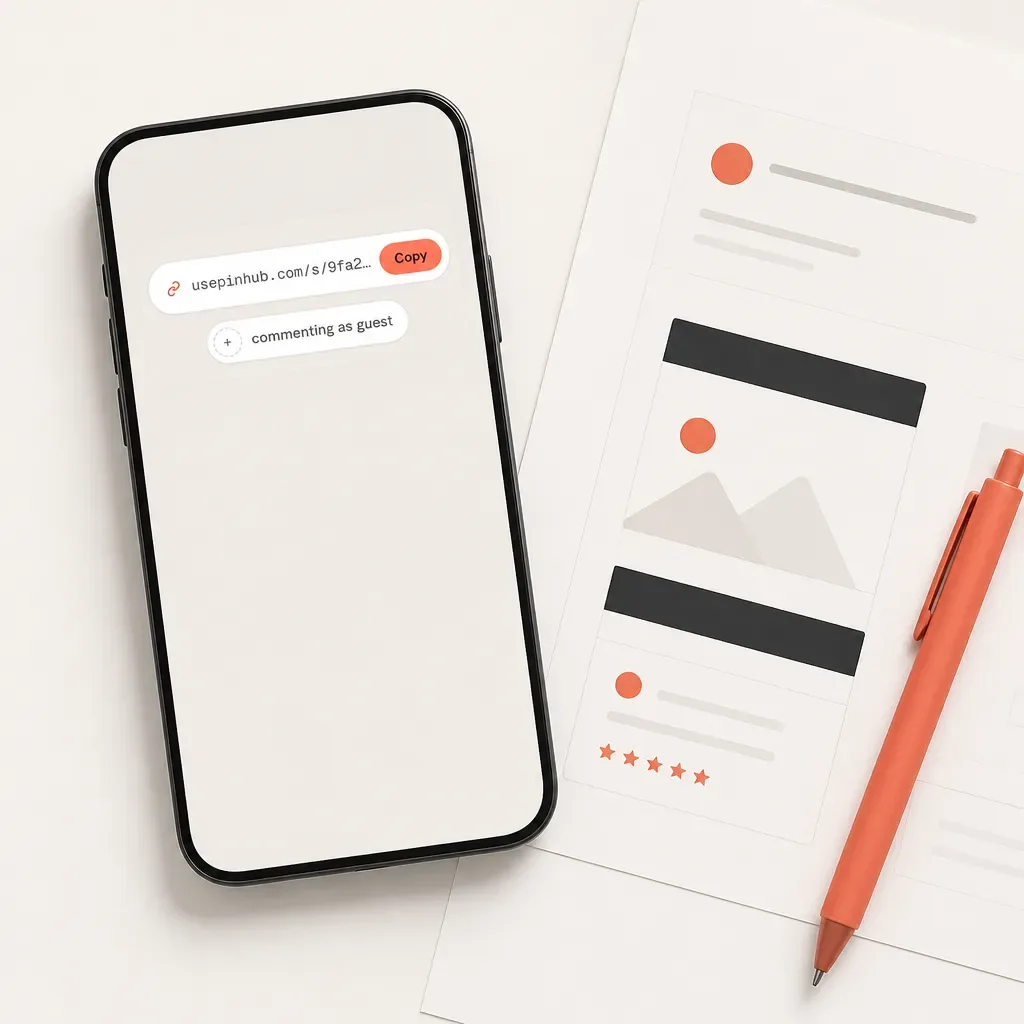
Pinhub's guest review links let people join through a single shared link without creating an account. Guests can pin comments and join the discussion, and guest comments don't count toward your plan. That makes it easy to bring the marketing director or the founder into a review without a conversation about seats. You can see how this works on the Pinhub homepage.
Setting Up a Link for Each Review Round
Treat each round as its own link. When round two begins, send a fresh link that points to the new frames, so reviewers don't wander back into comments from round one. It also makes it clear when a round is closed.
The trade-off is that anyone with the link can comment. Share it with the people who need to weigh in, not the whole mailing list, and remind clients that the link is for this project only. It's the same care you'd take with a calendar invite for a meeting. For more on how guest access works, the Pinhub FAQ covers the basics.
Keep Revisions Easy to Follow
Revisions are where agency review threads tend to get tangled. A client comments on version three, you send version five, and nobody is quite sure which feedback still applies. A clear revision habit clears up most of that confusion.
Versioning Without Confusion
Pinhub supports revisions and version history, so you can upload an updated screenshot as a new version instead of starting a brand-new review. That keeps the conversation attached to the design it belongs to. Still, label each version with a clear round number so clients don't have to guess which one is current.
There's a real trade-off here. Keeping old versions visible helps you track decisions, but it can also invite clients to reopen options you've already set aside. Decide up front which versions stay open and close the rest when the round ends.
Answering What Changed Quickly
Clients often ask what changed between rounds, and that question eats time. Write a short note with each new version listing the changes and any open questions. Then point the client to the pins that prompted those changes. The answer lives next to the comment, not in your memory.
Pro tip: Resolve a thread once its change appears in the new version, and mention that in the reply. Resolved threads show progress, and clients stop re-raising points that are already handled.
Turn Feedback into Clear Decisions
Feedback is only useful when you can act on it. A pinned comment that says make this bigger leaves room for guessing, while a comment that names the problem gives you a direction. Much of this comes down to how you ask for clarity.
Feedback that describes a problem gives a designer room to solve it. Feedback that prescribes a fix only hands over a task.
Ask Questions Before Prescribing Fixes
Constructive, a design studio, makes a useful point in its guidance on design feedback: asking thoughtful questions strengthens collaboration and avoids assumptions. You can apply that to client reviews. Instead of writing move the button up, try asking what a visitor should do first when they land on the page. The answer often shows whether the real issue is placement, copy, or the audience's goal.
That doesn't mean you should avoid giving direction. It means you hold your suggestion until you understand the problem. Clients who feel heard are far more willing to accept a solution that differs from what they first asked for.
Resolve Threads So Decisions Stick
Each pin should end in one of three states: a change made, a decision not to change with reasons, or a question the client still needs to answer. Use resolve for the first two, and flag the third in your reply. That way, the next round starts with a short list of open items instead of a fresh pile of comments.
Bring Figma Frames into Review
If your design work lives in Figma, you don't need to export everything by hand to get it in front of a client. Pinhub supports Figma frame import for visual review, which lets you move the exact frames you want to discuss into a review space.
Import Frames, Not Whole Files
Import the frames the client needs to judge, and leave the rest of the file alone. That keeps unrelated pages, personal notes, and internal components out of the client's view. It also keeps the conversation focused on the screens under discussion.
Be honest about the limit. A frame review checks the visual layer, including spacing, copy, color, and layout. Anything that depends on clicking through a prototype needs its own walkthrough, ideally a short call where you can show the flow with your notes ready.
Share the Review Link, Not the Editor Link
Your Figma file is your studio's working space, and it should stay that way. Send the review link, not access to the editor. Clients who can edit a shared file can rearrange your work, and that's a fast way to end up with two versions of the truth.
Common Mistakes Agencies Make
Most client review problems come from a handful of habits. They're easy to fix once you can name them, and you don't need to overhaul your whole process to start.
Sending the Whole Project Folder
Dropping a shared drive link into a client email is the fastest way to expose internal files. The client clicks around, finds a folder named old concepts, and suddenly you're explaining why it exists. Send one review link per round instead, and keep the full folder for your team.
Letting Feedback Drift Back into Email
When a client replies with a long email, the feedback drifts outside the pins. Your team then has to copy each point back onto the right screen, and details get lost along the way. Ask clients to pin their comments in the review, and reply with a short note if they get stuck. It's a small habit that protects the whole loop.
Overcomplicating Page Captures
Teams often wonder whether they need a live page connected to their codebase to review a site. For most design feedback, a screenshot is enough. Pinhub works on screenshots and mockups rather than annotating the live page's code, so it's best suited to visual feedback on what the design looks like. Capture the page, upload it, and pin away.
Compare Review Setups
Not every project needs the same setup. A small brand refresh might only need a single frame and a guest link, while a full website redesign benefits from collections and a clear round structure. Here's how three common approaches compare.
| Approach | What the Client Sees | Trade-off |
|---|---|---|
| Emailed PDFs or flattened exports | Only the files you attached | Feedback lives in email, and comments can't be pinned to exact spots on the design |
| Shared project folder | Everything inside the folder, including drafts and internal notes | Quick to set up, but the leak risk is high and feedback ends up scattered |
| Pinhub guest review link with pinned screenshots | Only the frames or screenshots in that review | Anyone with the link can comment, so share it carefully, and note that collections are part of Pro and Team plans |
My practical advice is to use the lightest setup that still keeps internal files out of sight. For a single landing page, one guest link and a clean export may be all you need. For plan details and what each tier includes, check the pricing section rather than relying on any article, this one included.
Frequently Asked Questions
Can clients review my designs without creating an account?
Yes. Pinhub's guest review links let reviewers join through a shared link without creating an account. Share the link for the round you want them to review, and they can start pinning comments right away.
Do guest comments count toward my Pinhub plan?
No, guest comments don't count toward the plan. That means bringing in extra stakeholders for a review won't change your plan count. For current plan details, see the pricing section at usepinhub.com.
What's the difference between Free and the Pro or Team plans?
Pro and Team tiers add collections, forms, polls, and live whiteboards on top of the core review tools. Because plan details and limits can change, check the pricing section and the FAQ for the latest information.
Will clients see my other projects?
A guest review shows the screenshots, mockups, or frames you put into that review. Keep unrelated work out of the upload, and start a fresh review for each new round or client so nothing carries over by accident.
How do I keep a review round from dragging on?
Set a clear end date and say which round is the last one. Ask clients to pin their comments instead of emailing them, resolve threads as you go, and list open questions in the note for each new version. Short, focused rounds almost always beat long, open-ended ones.
Tell us in the comments what has worked for your team, and which file you most wish you had kept out of your last client review.